
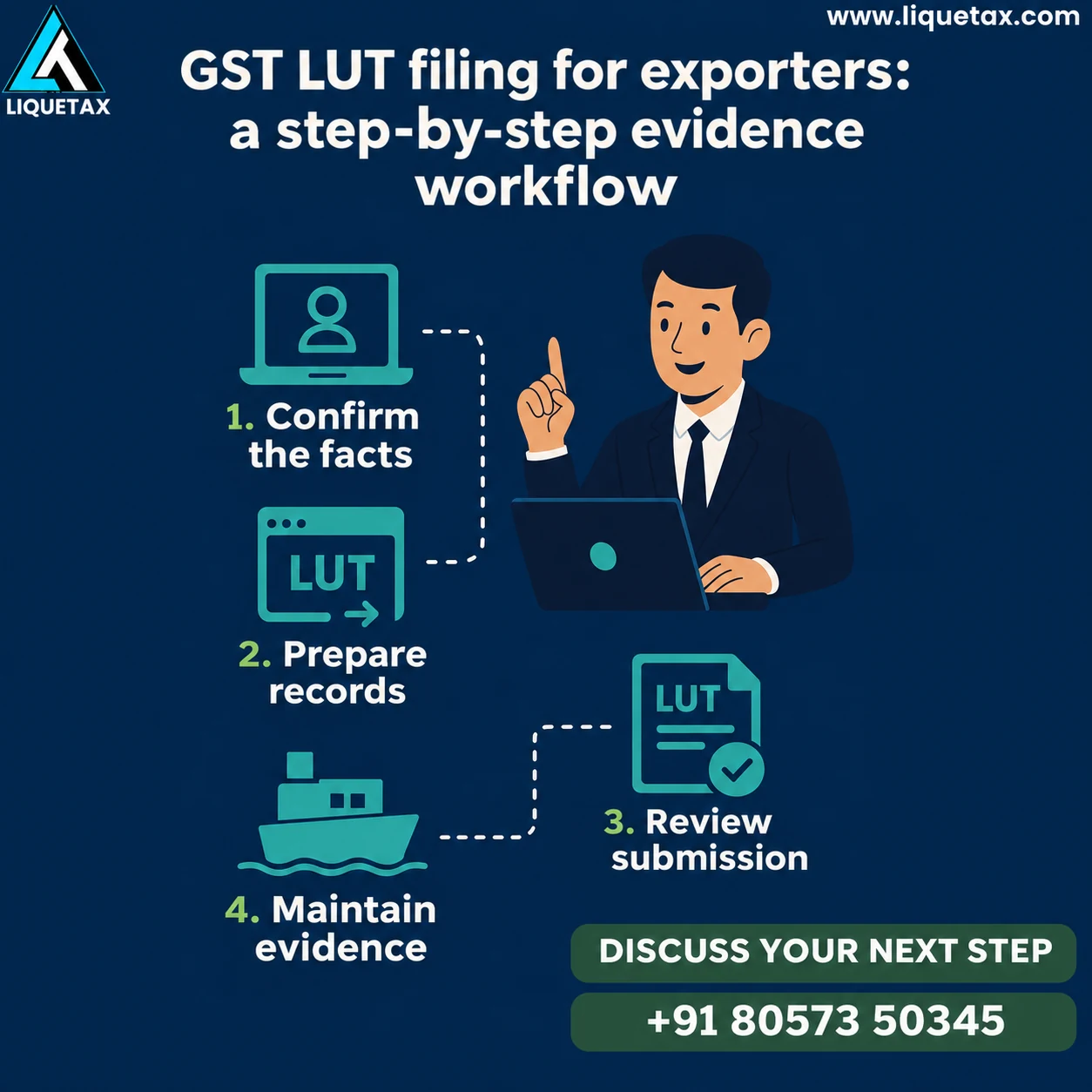
- 1. Confirm the facts
Review GSTIN, export or SEZ facts, eligibility and the intended financial year.
- 2. Prepare RFD-11
Check declarations, signatory authority and details requested by the portal.
- 3. Complete submission
Use the permitted verification method and retain the successful reference.
- 4. Maintain evidence
Link the LUT with invoices, export records, receipts and return reporting.
Step 1: review the transaction and financial year
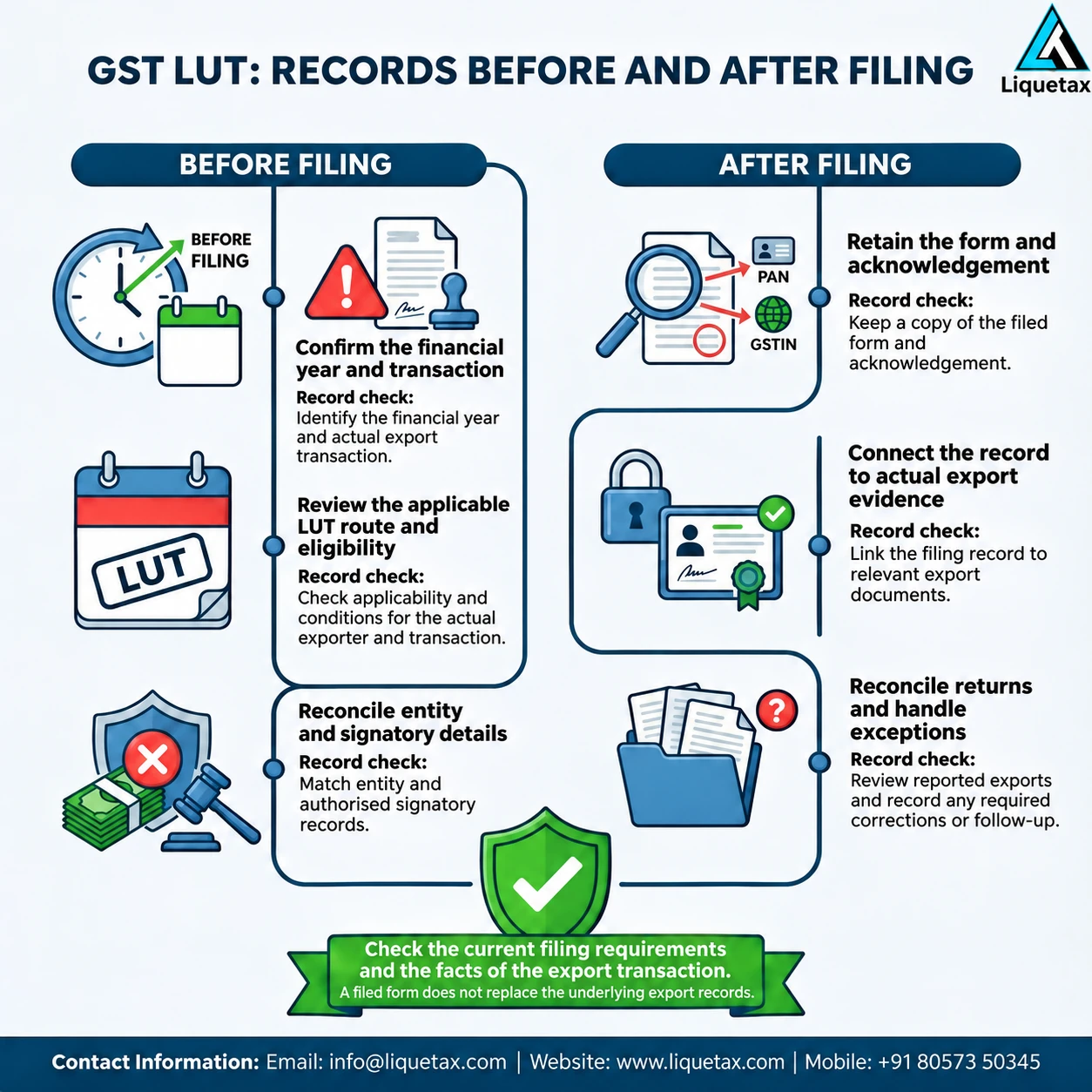
Record whether you export goods or services or make a relevant supply to an SEZ. Ask the reviewer to confirm that the legal conditions for the chosen treatment are met. Notification 37/2017 sets eligibility conditions and safeguards for furnishing an LUT in place of a bond and provides for a financial-year-specific undertaking. Avoid treating an earlier year’s document as continuing cover for a different year.
Prepare the GST registration details, proposed filing year and list of relevant exports. Check whether an LUT has already been filed for the same GSTIN and year before creating another draft. If an export has already taken place and the record is missing or the year is wrong, explain the dates to the adviser. Do not silently enter a different date or assume later filing cures every earlier transaction.
Step 2: organise the information before opening the form
Confirm that the person who will submit is an authorised signatory and has the necessary access. Keep the supporting authorisation where relevant. Arrange the witness particulars and other details requested in the current RFD-11 screen, checking their accuracy before entry. Keep the earlier LUT acknowledgement available if it helps the review, but follow the actual portal instructions for any attachment rather than a generic document bundle.
Read the undertaking clauses with someone who understands the export conditions. The person signing should know what is being declared and what continuing obligations follow. Do not tick a declaration simply because the system permits it. A prepared evidence file prevents repeated requests and makes it easier to investigate a rejected draft or an incorrect financial-year selection.
Step 3: complete and review the portal submission
On the GST portal, look for the Furnish Letter of Undertaking service under User Services and follow the current RFD-11 screen instructions. Confirm the GSTIN and financial year before entering the requested particulars. Review the completed form against your preparation sheet, including names, addresses, place and the authorised signatory. If the screen differs from an older guide, rely on the current official instructions and resolve the difference before signing.
Use the signing or electronic verification method permitted for your taxpayer profile and the current screen. Do not rely on an old Class 2 DSC prescription or an assumption that every entity can choose any method. After submission, check that the process completed successfully, save the application reference and acknowledgement, and record the status. A saved draft or an error message is not proof that an LUT was furnished.
Step 4: connect the LUT to actual export evidence
Maintain an invoice-level export register with the customer, supply description, invoice date, amount and the relevant LUT year and reference. For goods, retain the relevant shipping and customs evidence. For services, retain the agreement, service-delivery evidence and receipt records. If the customer, place-of-supply or payment arrangement is unusual, obtain a specific review rather than labelling the invoice an export because it is paid from abroad.
Track the applicable export and receipt conditions. The 2024 amendment to rule 96A changed the service-payment timing provision to account for the relevant FEMA or RBI period, whichever is later, and a further Commissioner-allowed period where applicable. An unqualified “one year in every case” reminder can therefore be wrong. Build the tracker around the rule and any applicable permission for the actual invoice.
Step 5: reconcile returns and handle exceptions
Compare the export register with the books and the relevant GST return reporting. Keep explanations for amendments, cancellations, short receipts and differences in shipping or invoice information. An LUT does not itself complete GST returns, establish every input-credit claim or automatically obtain a refund. If you need a refund of accumulated eligible credit, prepare the separate claim and supporting records for that process.
Create an exceptions list for missing acknowledgements, wrong-year filings, delayed exports, unpaid service invoices and portal errors. Record the owner, action and evidence of completion. Where a portal issue blocks submission, save the precise error, date and available ticket reference and use the relevant official help route. Avoid promising instant approval or a fixed refund date. Review the next financial year’s filing before relying on its export-without-payment route.
Keep these records ready
| Stage | Record to save | Check before moving on |
|---|---|---|
| Eligibility and year | Transaction note, GSTIN and year review | Correct route and period |
| RFD-11 preparation | Requested particulars and signatory authorisation | Accurate declarations and authority |
| Submission | Reference, acknowledgement and status | Successful submission rather than draft |
| Export evidence | Invoices, delivery or shipping records and receipts | Conditions tracked invoice by invoice |
| Return reconciliation | Books, return data and exceptions log | Differences explained and action recorded |
Illustrative example
Illustrative example: a Kochi consultancy plans to serve an overseas client. It reviews whether the service qualifies as an export, prepares the appropriate year’s LUT, checks the authorised signatory and preserves the successful submission reference. Its invoice register then connects the agreement, delivery evidence, bank receipt and GST reporting. Filing the LUT alone would not establish all those facts.
Frequently asked questions
Can I use last year’s LUT for a new financial year?
The undertaking is financial-year-specific. Check the GSTIN and relevant year and complete the appropriate filing before relying on the route for that period. Keep each year’s acknowledgement separately.
Is a saved RFD-11 draft enough?
No. Confirm that the submission completed and retain the reference, acknowledgement and status. Resolve signing errors or incomplete steps instead of treating a draft as filing evidence.
Do all exporters need an old Class 2 DSC?
Do not follow an old Class 2 prescription. Use the signing or electronic verification option permitted for the taxpayer profile under the current portal instructions and check that the authorised signatory can complete it.
Does an LUT remove return or refund paperwork?
No. Export evidence, GST reporting and any eligible-credit refund process remain separate tasks. Reconcile the invoices with books and returns, and prepare the supporting file for any refund application.
Is the service receipt deadline always one year?
No universal one-year statement is reliable after the rule 96A amendment. Review the relevant FEMA or RBI period and any applicable Commissioner allowance for the invoice, and track the condition with supporting records.
Discuss the next step with LIQUETAX
Bring your GSTIN, filing-year records, earlier LUT acknowledgements, export agreements and invoice register. Ask LIQUETAX to review the filing and evidence responsibilities separately from any refund work. Agree the scope and fee components before authorising a submission; approval and refund timing cannot be guaranteed.
Book a consultationOfficial references
- GST Council: Notification 37/2017 eligibility and safeguards
- GST Council: Notification 12/2024 and rule 96A amendment
Check the current authority instructions for your activity, location and filing period. This educational guide explains preparation; individual facts can change the applicable work.