
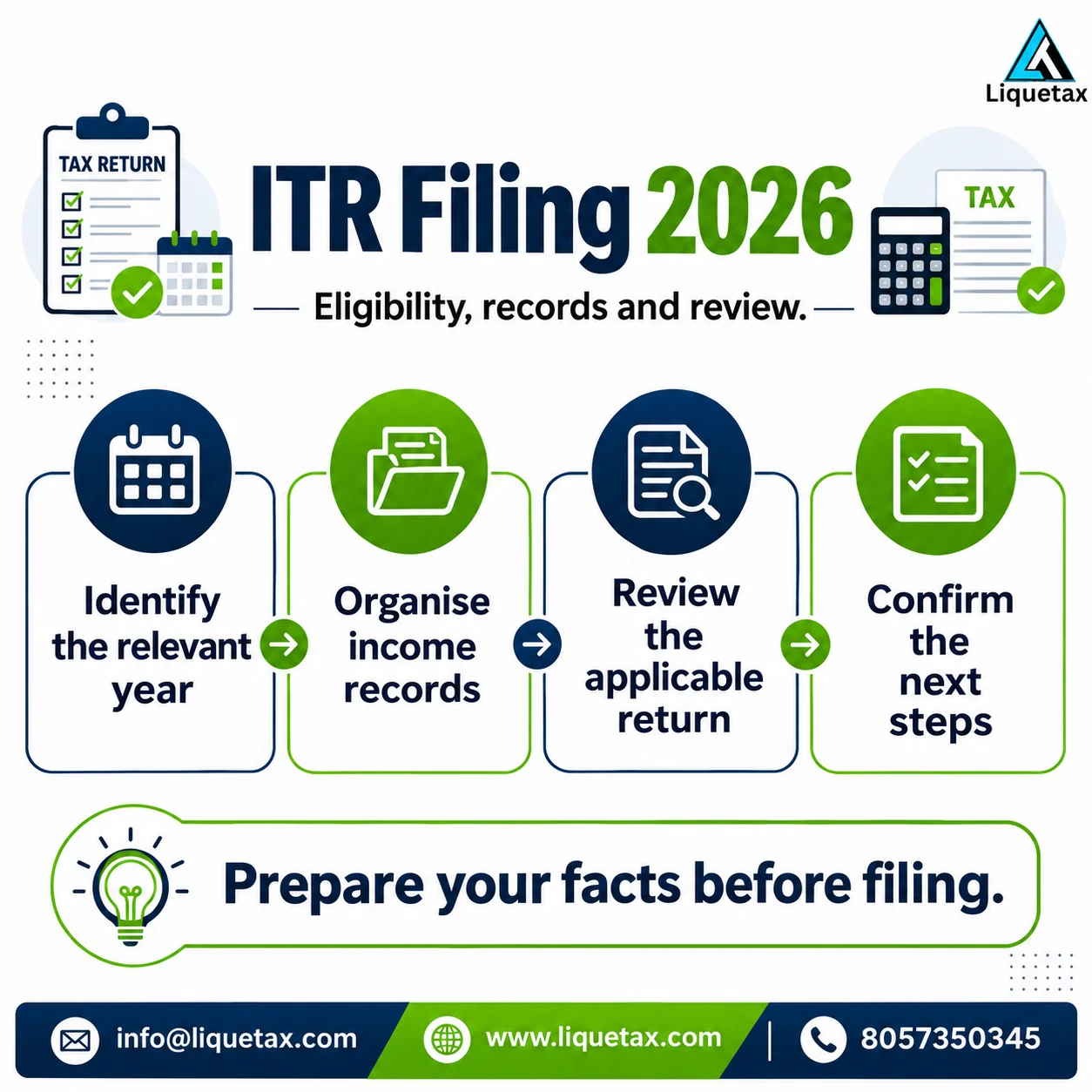
- 1. Identify the period
Write down the income dates and distinguish Assessment Year from Tax Year.
- 2. Reconcile the records
Compare income documents, AIS and tax-credit information before entering figures.
- 3. Review the return
Choose the appropriate form and check regime, claims, tax and current filing instructions.
- 4. Verify and track
Complete verification, retain the acknowledgement and follow any communication.
AY 2026-27 and Tax Year 2026-27 are different
The Income Tax Department’s transition FAQ explains that the new Tax Year concept applies to income earned from 1 April 2026. For income earned during FY 2025-26, AY 2026-27 filing remains within the earlier Act’s framework and forms under the transitional provisions. Tax Year 2026-27 concerns income from FY 2026-27. The matching numbers do not turn these into two returns for the same income.
Put the period at the top of your record checklist, working papers and advisor’s engagement. Review notices and earlier returns using their own period references. The phrase “new Act” is also different from the phrase “new tax regime”: the legal transition and a taxpayer’s regime choice are separate questions. Do not replace an earlier-period form or section reference with a new one solely because you are working after April 2026.
Prepare an ITR review folder
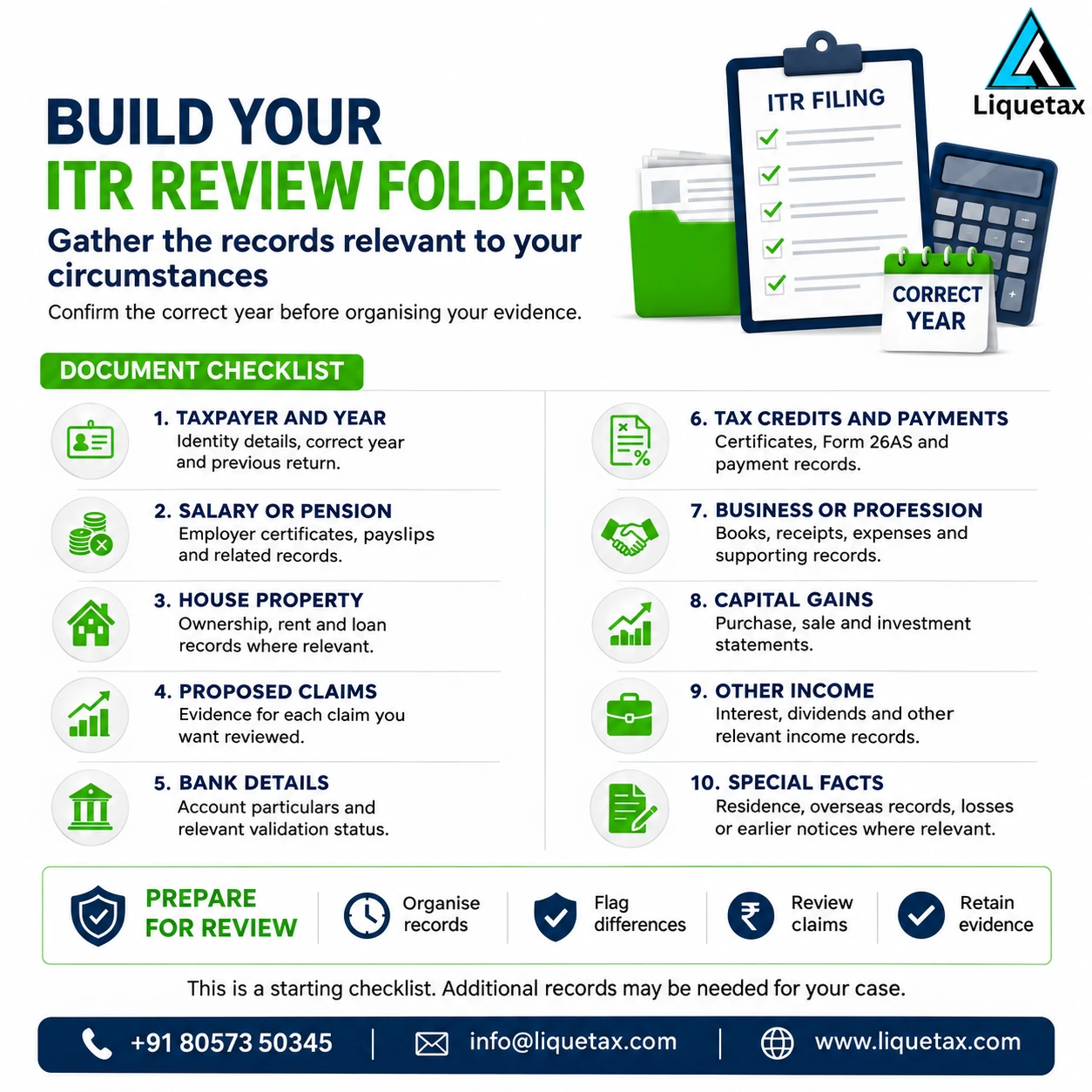
| Item | Records to collect | Review point |
|---|---|---|
| Period and earlier filing | Income dates, relevant AY or Tax Year, any filed acknowledgement | Confirm whether work is original filing, correction or follow-up |
| Employment | Form 16 from relevant employers and salary details | Check changes of employment and avoid omitting a salary source |
| Bank and investments | Interest certificates, statements and applicable transaction reports | Identify income and distinguish receipts from taxable components |
| Property and other income | Relevant rent, loan, sale or other supporting information | Check the correct schedules and supporting calculations |
| Tax information | AIS, Form 26AS and payment records | Reconcile reported information and tax credits with underlying evidence |
| Claims and regime | Evidence for each proposed exemption or deduction | Check eligibility and the selected regime rather than copying last year |
| Refund and verification | Validated refund-account position and an available verification method | Complete submission properly and avoid avoidable follow-up issues |
Choose the form from your full circumstances
A salary receipt does not establish that ITR-1 is the correct form. The Department’s AY 2026-27 guidance distinguishes forms and exclusions based on income, residential status, assets and other facts. Business income, particular capital gains or overseas circumstances can change the choice. Use the current year’s instructions and the portal’s form-selection assistance rather than selecting the shortest form simply because it looks easier.
Make a complete list of activities before asking for help. Include employment changes, freelancing, investments, property transactions and relevant foreign connections. State what is absent as well as present when answering a preparer’s questions. If you are unsure how a receipt should be classified, preserve the contract and transaction evidence. Misclassification can affect both the return form and the calculation.
Reconcile AIS and tax credits with your own evidence
The official AIS FAQ says the statement contains information presently available to the Department and may not include every transaction. Your return still needs complete and accurate information. Compare reported values with statements and certificates; keep a list of differences and the reason for each one. Where appropriate, provide feedback through the AIS facility and retain the acknowledgement.
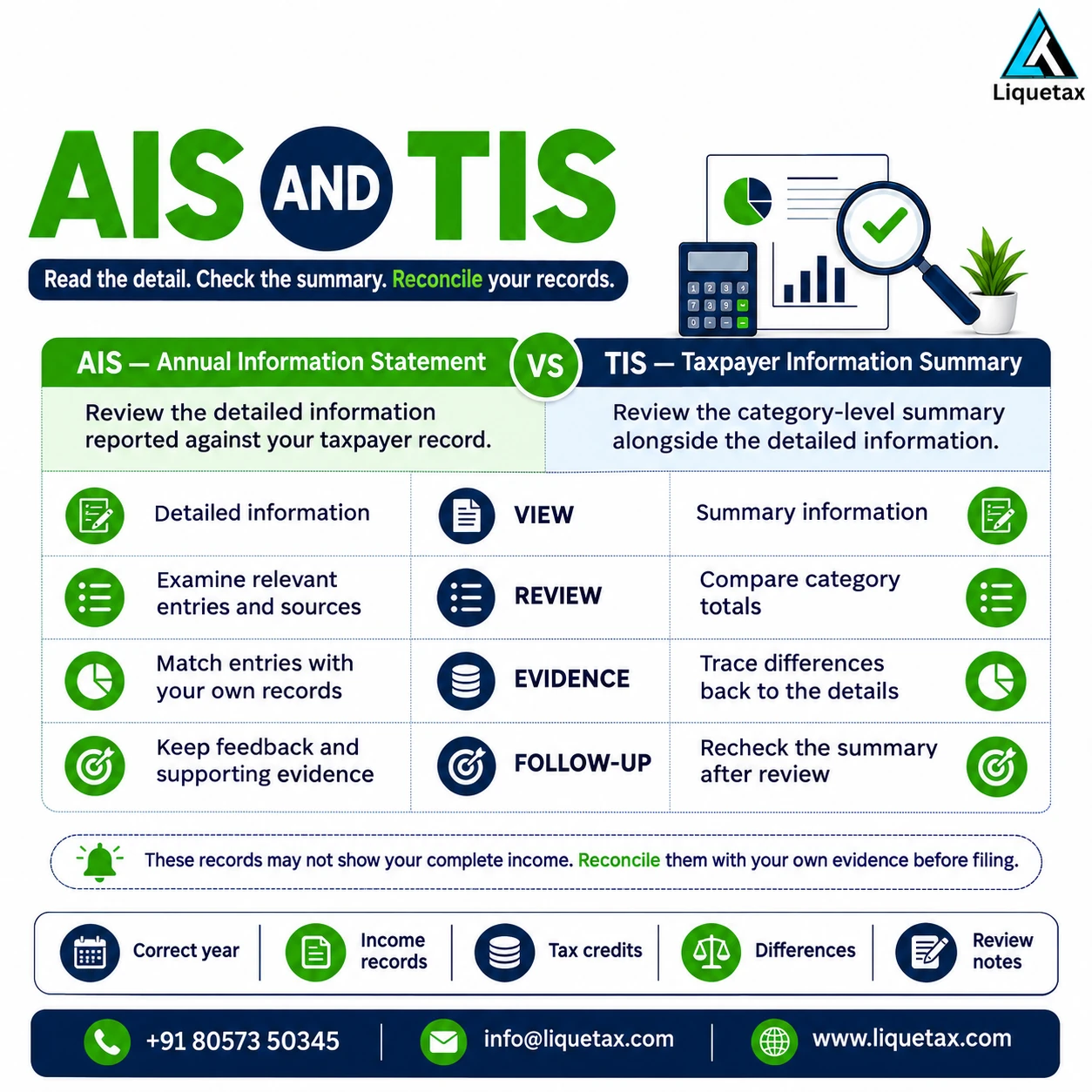
Do not treat a missing AIS entry as permission to omit income. Equally, do not count the same amount twice just because it appears in more than one report. For a tax-credit difference, identify the deductor, period, amount and supporting record before requesting a correction. Keep the follow-up visible in your working file. An explanation prepared for your advisor should distinguish verified facts from a correction still awaiting confirmation.
Review the regime and each proposed claim
For AY 2026-27, the official taxpayer guidance describes the new regime as the default and sets out conditions for opting out. Many familiar exemptions or deductions are regime-dependent. A receipt showing that you paid an amount is one part of a claim; it does not establish that the full amount is deductible in your chosen regime. Business-income taxpayers can also face separate form and option conditions.
Compare the calculations using your actual eligible figures and current rules. Record why a claim was included or excluded, who approved the position and which document supports it. Do not add an investment merely because a previous return contained it, and do not buy a product just to match a generic tax-saving list. When changing advisors, share earlier option records so a current choice is considered in context.
Check the applicable deadline and the available filing route
Check the notified position for your period and taxpayer category, including whether an audit or other report changes the filing requirements. A date quoted for one class of taxpayers cannot be used as a universal deadline. Form availability on the portal and the statutory due date are also separate matters. If a due date has already passed, review the applicable belated or other permitted route and its conditions rather than describing the return as ordinary on-time filing.
Pay attention to linked tasks: missing records, outstanding tax, necessary reports and any correction already filed. Obtain a written list of what remains before submission. Tax payments, interest or late-filing consequences depend on the actual position; a professional’s service fee is a separate charge. Ask for that service scope and quotation in ₹, including whether later notices or corrections are covered.
Verification is part of completing the filing
The Department’s e-Verify help explains that verification is needed to complete filing and lists the available methods. Its present 1961-Act guidance states a 30-day period for verification or ITR-V for returns filed from 1 August 2022, with different historical treatment for earlier filings. Check the instructions for your actual return and complete the available method promptly. An uploaded return left unverified needs attention.
Save the filed return, acknowledgement and successful verification evidence. For refunds, the Department’s bank-account FAQ requires a validated account to be nominated. Check the status of the actual account; simply typing an account number into a draft is not proof of validation. If a status is failed or pending, read the portal message and resolve the identified issue. Use official access channels and retain control of passwords and OTPs.
Plan follow-up without a refund promise
After filing, check the status and communications for the correct period. A refund claim is examined when the return is processed; the amount shown in your working calculation is not money already approved or credited. Read any intimation, defect notice or adjustment communication before deciding what to do next. Bank-validation issues and outstanding matters may require separate action.
Early preparation is useful because it creates room for record collection, explanation and careful review. It is not evidence that a return will escape scrutiny or receive a refund within 30–45 days. Do not build essential household or business payments around an assumed refund date. The practical objective is a complete, supportable return and an organised follow-up file.
Frequently asked questions
Does AY 2026-27 mean Tax Year 2026-27?
No. AY 2026-27 relates to FY 2025-26 income under the earlier framework. The new Tax Year 2026-27 refers to FY 2026-27 income. Check the applicable period and transitional instructions.
Will preparing or filing early guarantee a faster refund?
No. Preparation helps resolve records and review claims, but processing and refund timing depend on the actual return and Department action. This guide gives no fixed refund-time or scrutiny guarantee.
Can I use AIS as the complete list of my income?
No. The official AIS FAQ explains that some transactions may not yet appear. Compare AIS with your own records, reconcile differences and report complete and accurate information.
Can every taxpayer claim 80C, HRA and similar deductions?
No. Each claim depends on its legal conditions, your facts and the applicable regime. Check the relevant period’s rules and keep supporting evidence.
Is submitting a return enough to complete filing?
Verification must also be completed using the applicable method and timeline. Retain acknowledgement and verification evidence, and check any nominated refund account’s validation status.
Discuss a clearly scoped next step
Tell LIQUETAX the income period, sources, earlier filing position and unresolved record differences. Ask for a defined return-preparation or review scope, including who approves figures and completes verification. Avoid sending PAN copies, bank documents or credentials through a general enquiry form.
Discuss your records with LIQUETAXOfficial references
- Income Tax Department: new Act objectives and transition FAQs
- Income Tax Department: salaried individuals for AY 2026-27
- Income Tax Department: AIS completeness and feedback FAQs
- Income Tax Department: verification methods and timeline guidance
- Income Tax Department: bank validation for refund nomination
- Income Tax Department: practical return preparation and refund-process FAQs
This educational guide is based on the official references linked above. AI-assisted source comparison is not an individual professional endorsement. A filing, funding or contract decision needs the current instructions and review of your own circumstances.